What Is VPN Server Congestion?
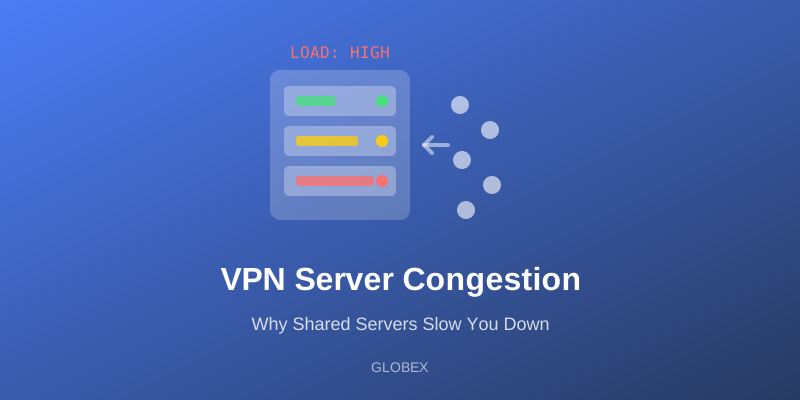
In short: Server congestion happens when too many users push traffic through the same VPN server at the same time. The server's bandwidth, processing power, and memory are finite, so as load rises, every user's share shrinks — speeds drop, latency climbs, and connections feel unstable. Congestion is the single most common reason a VPN that was fast yesterday feels slow today, and it is the defining trade-off of heavily shared infrastructure.
A VPN server is just a computer with a network link. Every user connected to it consumes three finite resources at once: bandwidth (the size of the server's pipe to the internet), CPU (every packet must be encrypted and decrypted), and memory and connection state (each active tunnel has to be tracked). None of these resources cares how fast your home internet is. If the server's link is saturated by other people's traffic, your 100 Mbps connection will crawl, because your data is queuing behind everyone else's.
How Congestion Actually Slows You Down
Congestion does not feel like a simple speed cap. It shows up in several distinct ways:
- Throughput collapse — Bandwidth on a shared link is divided among active users. At quiet times you might get a large share; at peak hours the same server may give you a small fraction of that. This is why VPN speed varies so much by time of day.
- Rising latency and jitter — When a server's queues fill up, packets wait before being processed. Web pages hesitate, video calls stutter, and games become unplayable even when raw download speed looks acceptable.
- Packet loss and retries — A fully saturated server starts dropping packets. Your device retransmits them, which adds even more load — congestion literally feeds itself.
- Connection instability — Overloaded servers shed load by dropping tunnels. If your VPN disconnects and reconnects repeatedly at busy hours, congestion is a prime suspect.
Why Free Tiers Feel Congestion Most
Congestion is not distributed evenly across a VPN service. It concentrates exactly where the ratio of users to capacity is worst — and across the industry, that is usually the free tier.
The economics are straightforward. Paying subscribers fund capacity, so providers naturally give paid infrastructure the most headroom. Free users are typically concentrated onto a smaller pool of shared servers, which means more people per server and a worse experience at peak times. ProtonVPN is a documented example of this structural split: as of 2026, its free plan ran on shared 1 Gbps servers while paid plans used 10 Gbps servers, the free tier carried a "medium" speed label, and independent tests have reported significant slowdowns on its free servers. To its credit, ProtonVPN's free plan does not cap your data — its trade-off is speed and server pool, not volume. We put the two free tiers side by side in our GLOBEX vs ProtonVPN comparison. That is exactly the pattern this article is about: the free-tier bottleneck is usually crowding, not a deliberate meter.
The lesson for anyone evaluating a free VPN: ask not just "is it free?" but "what infrastructure do free users actually get?" A free plan on crowded shared hardware can be slower than your connection ever needs to be.
How GLOBEX Approaches the Problem
GLOBEX's free tier is built to avoid the classic free-tier meter: unlimited bandwidth, no daily data cap, and no speed cap tied to payment — the free experience is supported by occasional ads rather than by throttling. Free users get a global server network and the same 8 connection protocols as Premium, and the app picks a fast server automatically instead of leaving you to guess. Premium adds an ad-free experience, priority server access, and priority support — priority access being the congestion-relevant benefit, since it puts paying users first in line for server capacity at peak times. If you want the full breakdown of what the free plan includes, our free VPN page covers it, and our related post on why free VPNs feel slow digs deeper into the speed side.
How to Spot — and Escape — a Congested Server
You cannot see a server's load directly, but you can diagnose congestion with a few practical tests:
1. Compare times of day. Run a speed test on the same server in the morning and at evening peak. A large gap points to crowding rather than distance or protocol.
2. Switch servers, same region. If a different server in the same country is dramatically faster, the first one was crowded — distance and routing barely changed, load did.
3. Watch latency, not just throughput. Ping that climbs and fluctuates under load is the signature of queuing on a busy server.
4. Reconnect and let the app choose. Automatic server selection generally weighs load and proximity; reconnecting gives the app a chance to place you somewhere quieter.
5. Try a different protocol. Modern protocols differ in overhead and in how well they handle lossy, congested paths, so switching can claw back real speed on a struggling connection.
Congestion vs. Other Causes of Slowness
Before blaming the server, rule out the other usual suspects: your own WiFi (test next to the router), your base connection (test with the VPN off), distance (a server on another continent adds latency no amount of capacity can remove), and protocol overhead. If the VPN is slow only at predictable busy hours and only on certain servers, congestion is the likely cause. If it is slow always and everywhere, look at the other factors first.
The Bottom Line
Shared servers are not a flaw — sharing is what makes VPNs affordable, and every provider does it. The difference between a fast service and a frustrating one is how much capacity stands behind each user and how the provider treats its free tier. Understand the congestion mechanics, test at different hours, switch servers when things crawl, and choose services that are honest about what their free infrastructure actually delivers.
Quick FAQ
Does server congestion mean my VPN is unsafe? No — congestion degrades speed and stability, not encryption. A slow tunnel is still an encrypted tunnel.
Why is my VPN slow only in the evening? Evening is peak usage in most regions. If speed recovers at off-peak hours on the same server, you are watching congestion in real time.
Will paying always fix congestion? Paying typically buys priority or roomier infrastructure, which helps. But a poorly provisioned paid service can still crowd its servers — capacity per user matters more than the price tag.