What Is a VPN?
In short: A VPN (Virtual Private Network) creates an encrypted tunnel between your device and the internet, hiding your real IP address and scrambling your traffic so your internet provider, network operators, and snoopers on the same network can't read what you do online. This guide explains what a VPN is, how the encryption works, what it protects (and what it doesn't), and how to get started.
A VPN is a service that creates a secure, encrypted connection between your device and the internet. Think of it as a private tunnel that shields your online activity from prying eyes. Without a VPN, every website you visit, every app request, and every login travels across networks that other parties can observe — your internet service provider, the owner of the WiFi you're using, and potentially attackers positioned on the same network.
When you connect to a VPN, your internet traffic is routed through a remote server operated by the VPN provider. Two things happen at once: your data is encrypted before it leaves your device, and your real IP address is replaced with the address of the VPN server. To the websites and services you visit, your traffic appears to originate from the VPN server's location rather than your own.
A VPN Is Not the Same as Antivirus
It's a common misconception that a VPN replaces antivirus software or makes you completely anonymous. A VPN protects data *in transit* — it stops people from intercepting or reading your traffic, and it hides your IP and location. It does not remove malware from a device, stop you from being phished, or prevent websites from tracking you through accounts you log into or through browser cookies. A VPN is one strong layer of a broader security setup, not a single magic shield.
How Does a VPN Work?
Here's a step-by-step breakdown of what happens when you connect:
1. You connect to a VPN server — You choose a server location (for example, a server in the United States, the UK, or Germany), or let the app pick the fastest one for you.
2. Your device and the server perform a handshake — They securely agree on encryption keys that only the two of them know.
3. Your data gets encrypted — All your internet traffic is scrambled with strong encryption before it leaves your device, so anyone watching the network sees only unreadable data.
4. Your IP address changes — Websites and services see the VPN server's IP address, not your real one, which masks your location.
5. You browse privately — Your ISP and others on your local network can see that you're connected to a VPN, but not which sites you visit or what you send and receive.
The Encryption Behind the Tunnel
Modern VPNs rely on strong, well-established encryption ciphers — most commonly AES with a 256-bit key, or the ChaCha20 cipher used by newer protocols. These are the same classes of encryption trusted to protect banking and government communications. The strength comes from the size of the key: a 256-bit key has so many possible combinations that brute-forcing it is computationally infeasible with current technology. What matters in practice is that the encryption is applied correctly and that keys are exchanged securely during the handshake — which is exactly what a properly built VPN protocol does.
Why Do You Need a VPN?
1. Privacy From Your Internet Provider
Your Internet Service Provider can see the websites you connect to and, in many regions, is legally permitted to log and even sell anonymized browsing data to advertisers. A VPN encrypts your connection so your ISP can no longer see the contents or destinations of your traffic.
2. Public WiFi Security
Coffee shops, airports, hotels, and shopping centers offer convenient free WiFi, but open networks are a known risk. An attacker on the same network can attempt to intercept unencrypted traffic or set up a fake hotspot. A VPN encrypts everything you send, so even on a hostile network your data stays unreadable.
3. Secure Data Transmission
Whether you're checking your bank balance, logging into email, or sending work documents, a VPN ensures that data traveling between your device and its destination can't be read by anyone observing the network in between.
4. Reduced Tracking and Profiling
Websites and ad networks use your IP address as one signal to build a profile of you and estimate your location. A VPN masks your real IP, making this kind of network-level tracking much harder. (Remember, though, that logging into accounts still identifies you — a VPN reduces tracking, it doesn't eliminate it entirely.)
5. Access While Traveling
When you travel, local networks may behave differently than what you're used to at home. A VPN gives you a consistent, encrypted connection wherever you are, which is especially useful on unfamiliar or untrusted networks abroad.
Types of VPN Protocols
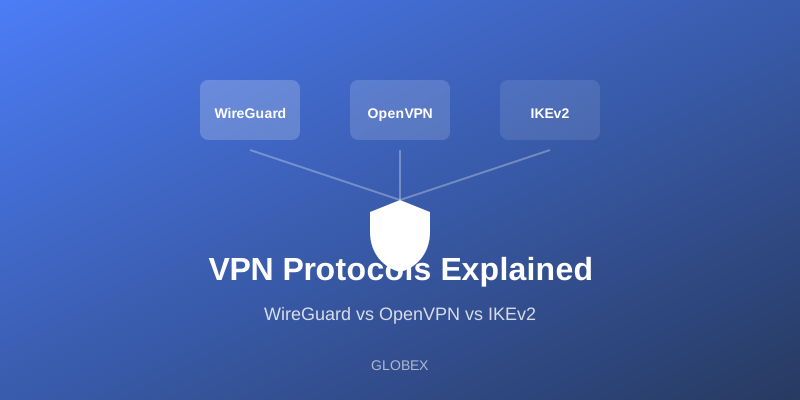
A "protocol" is the set of rules that decides how the encrypted tunnel is built and maintained. Different protocols make different trade-offs between speed, security, and reliability:
- WireGuard — A modern protocol with a small, auditable codebase. It's known for excellent speed and strong security with very low overhead, making it a popular default.
- OpenVPN — A long-trusted, open-source protocol with a strong security track record. It's highly configurable and battle-tested, though typically a bit heavier than WireGuard.
- IKEv2/IPsec — Especially good for mobile devices because it reconnects quickly and handles switching between WiFi and cellular networks smoothly.
A good VPN app chooses a suitable protocol automatically, so you usually don't need to think about which one is running.
What a VPN Can and Cannot Do
A VPN can: encrypt your traffic, hide your IP address and approximate location, secure you on untrusted WiFi, and stop your ISP from seeing the contents of your browsing.
A VPN cannot: make you fully anonymous, protect you from malware or phishing, stop tracking through accounts you log into, or prevent a website from setting cookies in your browser. Treat a VPN as a strong privacy and security layer that works best alongside good habits like strong passwords, two-factor authentication, and keeping your device updated.
Is a VPN Legal?
Yes — VPNs are legal in most countries. They're legitimate, widely used privacy tools relied on by individuals, remote workers, and large organizations every day. A small number of countries restrict or regulate VPN use, so if you travel it's worth knowing the local rules. Using a VPN for lawful activity is completely standard.
Getting Started with GLOBEX
Ready to protect your privacy? GLOBEX is designed to be simple:
1. Download GLOBEX from Google Play.
2. Open the app and tap "Connect."
3. You're now protected with strong encryption — no configuration required.
There's no technical setup, no account hassle, and the app picks a fast server for you automatically.
Conclusion
A VPN is an essential tool for anyone who values their online privacy and security. Whether you're protecting yourself on public WiFi, keeping your browsing private from your ISP, or securing sensitive data on the move, a VPN provides a strong, well-understood layer of protection. Just remember it's one layer among several — pair it with good security habits for the best results.
Start protecting your privacy today with GLOBEX — fast, free, and secure.