VPN Terminology Explained
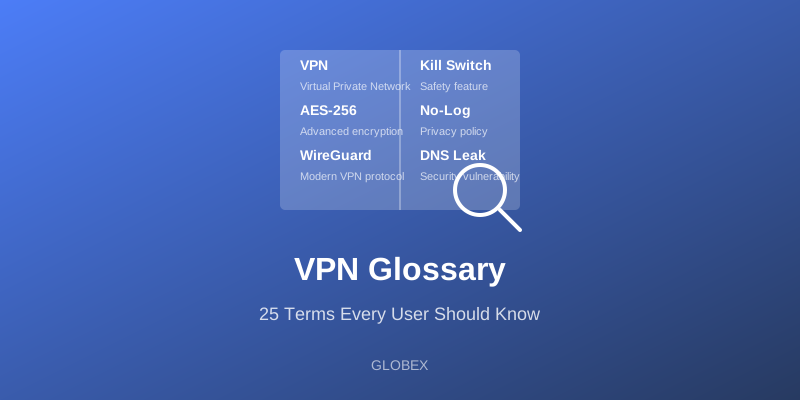
TL;DR: This glossary defines the VPN terms you will meet when comparing providers and configuring your connection, from AES encryption and kill switches to DNS leaks, no-log policies, protocols, and split tunneling. Knowing them helps you choose a trustworthy VPN, set it up correctly, and troubleshoot problems without guesswork.
Understanding VPN terminology helps you make better decisions about your online security. The VPN world is full of acronyms and marketing language, and providers know that confused shoppers are easier to impress with buzzwords. Learning a handful of core terms lets you cut through the noise, compare services on their real merits, and spot when a feature is genuinely useful versus just a label. Below are the terms worth knowing, in plain language.
Essential Terms
AES (Advanced Encryption Standard)
The widely trusted encryption algorithm used by governments and banks worldwide. AES-256, its strongest common variant, is considered effectively uncrackable with today's technology.
Bandwidth
The maximum amount of data that can be transmitted over a connection in a given time. Some VPNs cap bandwidth on free plans, which limits how much you can browse or stream.
DNS (Domain Name System)
The internet's address book, translating human-readable site names into the numeric IP addresses computers use. A DNS leak can expose which sites you visit even while a VPN is connected, so good VPNs route DNS through the encrypted tunnel.
Encryption
The process of converting readable data into an unreadable format that only the correct key can decode. It is what keeps your traffic private in transit.
IP Address
A unique numerical identifier assigned to your device on the internet that reveals your approximate location. A VPN masks your real IP behind the server's.
Kill Switch
A safety feature that blocks all internet access the instant your VPN connection drops, ensuring your real IP and traffic are never exposed during a momentary disconnect.
Latency (Ping)
The delay between sending a request and receiving a response, measured in milliseconds. Lower is better, and it matters most for gaming and video calls.
No-Log Policy
A provider's commitment not to record what you do online. The strongest no-log claims are backed by independent audits rather than just marketing copy.
Obfuscation
Technology that disguises VPN traffic so it looks like ordinary HTTPS, allowing it to slip past networks that try to detect and block VPNs. Essential in heavily censored regions.
OpenVPN
A long-established, open-source VPN protocol respected for strong security and flexibility, though it is slower and heavier than newer options.
Protocol
The set of rules that govern how data is encrypted and transmitted between your device and the VPN server. Examples include IKEv2, OpenVPN, and WireGuard.
Proxy
A server that relays your traffic so sites see its address instead of yours, but unlike a VPN it usually does not encrypt your data.
Server
A computer that provides the VPN connection. A wider spread of servers usually means better speeds, more location choices, and less congestion.
Split Tunneling
A feature that lets you choose which apps route through the VPN and which use your normal connection, useful for keeping local services fast while protecting sensitive apps.
Throughput
The actual data-transfer rate you experience in practice, which is often lower than the theoretical bandwidth because of distance, congestion, and overhead.
Two-Factor Authentication (2FA)
A login safeguard that requires a second proof of identity, such as a one-time code, in addition to your password.
VPN Tunnel
The encrypted channel between your device and the VPN server through which all your protected traffic flows.
WebRTC Leak
A browser vulnerability that can reveal your real IP address even while a VPN is active. Good VPN apps and extensions block it.
WireGuard
A modern VPN protocol known for its speed, small codebase, and simplicity, increasingly popular across the industry.
More Terms Worth Knowing
IKEv2/IPsec
A fast, modern protocol especially good at maintaining the connection when you switch between WiFi and mobile data, making it a strong choice for phones.
Multi-Hop (Double VPN)
A feature that routes your traffic through two VPN servers instead of one for extra privacy, at the cost of some speed.
IP Leak
Any situation where your real IP address is exposed despite the VPN being connected, often through WebRTC, DNS, or a dropped connection without a kill switch.
Jurisdiction
The country where a VPN provider is legally based, which determines what data-retention and disclosure laws can compel it to do. It is a key trust factor.
Bandwidth Throttling
When your ISP deliberately slows specific types of traffic. A VPN can hide the traffic type and prevent this targeted slowdown.
Always-On VPN
A device setting that keeps the VPN connected at all times and blocks traffic if it drops, ensuring you are never accidentally exposed.
How to Read a VPN's Marketing Claims
Armed with these definitions, you can decode the claims providers make. "Military-grade encryption" almost always just means AES-256, which is good but not special to that provider. A "no-log policy" is only as strong as its independent audits; an unaudited claim is a promise, not a proof. "Unlimited servers" matters less than where those servers are and how congested they get. And a long protocol list is only useful if the app actually picks the right one for your situation. The goal of learning this vocabulary is not to become an engineer; it is to ask sharper questions and avoid paying for buzzwords.
Using This Knowledge
Understanding these terms helps you:
- Compare VPN services on substance rather than marketing
- Configure your VPN with the right protocol and features
- Recognise and troubleshoot connection or leak issues
- Make informed security decisions instead of trusting buzzwords
Keep this glossary handy when you evaluate any provider, configure a new connection, or run into a problem you do not immediately understand. Vocabulary is power here: the more clearly you can name what a feature does, the harder it is for clever marketing to sell you something that sounds impressive but means little. Bookmark this page, refer back to it whenever a new term trips you up, and you will navigate the VPN world with confidence rather than confusion. GLOBEX uses industry-standard technology and a multi-protocol design to keep you safe. Download today.