Two Ways to Use a VPN
TL;DR: A browser extension protects only your browser traffic and is light and instant, ideal on a shared computer. A full VPN app encrypts every app on your device with stronger protocols and a kill switch, the right choice on public WiFi or when anything sensitive runs outside the browser. Most people benefit from having both.
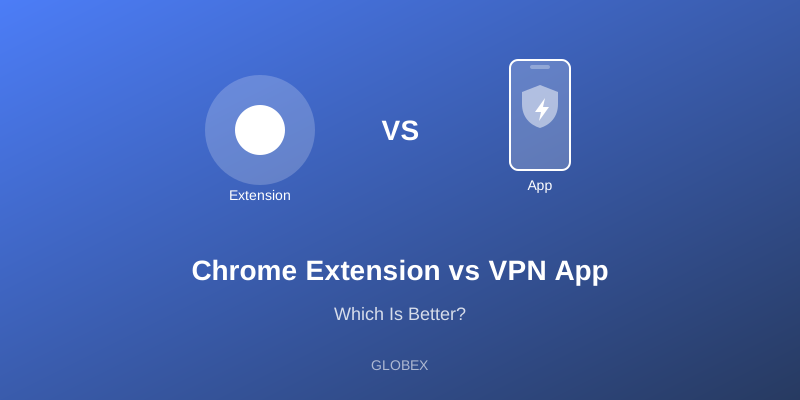
VPNs come in two main forms: lightweight browser extensions and full standalone apps. They sound interchangeable but protect very different amounts of your activity, and choosing the wrong one leaves gaps you may not notice. The core distinction is scope: an extension guards a single browser, while an app guards the entire device. Understanding that difference is the whole decision.
VPN Browser Extensions
How They Work
Browser extensions typically use proxy technology to route only your browser's traffic through a secure server. Anything outside that browser, your email client, other browsers, mobile apps, and background services, continues to use your normal, unprotected connection.
Pros
- Easy to install - One click from the browser's extension store
- Lightweight - Uses minimal system resources
- Browser-specific - Affects only the browser you choose, leaving the rest of the system untouched
- Quick toggle - Turn it on or off instantly without a separate app
Cons
- Limited protection - Covers only browser traffic, not the whole device
- Weaker encryption - Often relies on HTTPS proxying rather than a full VPN tunnel
- No app protection - Other apps and background processes remain exposed
- Possible WebRTC leaks - Without safeguards, your browser can leak your real IP through WebRTC
VPN Apps
How They Work
A VPN app creates a system-wide encrypted tunnel that carries every byte of your device's internet traffic, regardless of which app generated it.
Pros
- Complete protection - Every app and connection is covered
- Stronger encryption - Uses full VPN protocols such as IKEv2, OpenVPN, or WireGuard
- More features - Includes a kill switch, split tunneling, and protocol selection
- Better leak protection - Properly closes WebRTC and DNS leaks at the system level
Cons
- More resources - Uses somewhat more battery and memory
- System-wide - Affects all internet activity, which you may occasionally not want
- Requires installation - It is a full app rather than a simple browser add-on
When to Use Each
Use a Browser Extension When:
- You only need to protect what happens in your browser
- You are on a shared or work computer where you cannot install full software
- You want the lightest possible footprint
- You need quick, temporary protection for a single browsing session
Use a VPN App When:
- You want complete, device-wide protection
- You rely on apps outside the browser that handle sensitive data
- You are on public WiFi, where every app is at risk
- Maximum security and leak protection is the priority
Can You Use Both Together?
Yes, and many privacy-conscious users do. A common pattern is to run the full app as your always-on baseline, then add a browser extension for quick per-tab control or to spoof a different region for a single site without changing your whole device's connection. Just be aware that running an extension and an app at the same time can occasionally double-route traffic and slow things down, so test the combination rather than assuming it stacks cleanly.
The Biggest Trap: A False Sense of Security
The most common and dangerous mistake is assuming a browser extension protects your whole device. It does not. If you install an extension, see the connected indicator, and then check your bank in the browser, you are reasonably covered, but the moment you open a separate banking app, a mail client, or any other program, that traffic flows over your normal, unprotected connection. On public WiFi this gap can expose exactly the sensitive activity you thought you had secured. Worse, a misconfigured or proxy-only extension can leak your real IP through WebRTC even while it appears active. If your goal is genuine protection rather than the appearance of it, understand precisely what each tool covers before you rely on it.
A Simple Way to Decide
If you only ever need privacy inside the browser on a desktop you trust, an extension is light and convenient. If anything sensitive happens outside the browser, if you are on an untrusted network, or if you are on a phone where apps dominate your activity, use the full app. When unsure, default to the app, because over-protecting costs you a little battery while under-protecting can cost you your data. Many people land on a sensible middle ground: the full app as the always-on foundation, with the extension layered on for quick, per-site control on the desktop.
GLOBEX Offers Both
GLOBEX Chrome Extension - Quick, convenient browser protection
GLOBEX Android App - Complete, system-wide device security
The two are complementary rather than competing. Use the extension for fast, browser-only privacy on a desktop, and the app whenever you need every app on your phone or device shielded. Choose the right tool for each situation, or keep both ready.
In short, the question is not which one is better but which one matches what you are protecting. A browser extension is a precision instrument for browser-only privacy, light and instant but narrow. A full app is the complete solution, covering every connection your device makes at the cost of a little more battery and memory. Think about where your sensitive activity actually happens. If it lives entirely in the browser on a trusted desktop, the extension is plenty. If it spans apps, devices, and untrusted networks, the app is the honest choice. Most people are best served treating the app as their baseline and the extension as a convenient add-on, never mistaking the lighter tool for the complete one. Whichever you choose, the worst outcome is believing you are protected when you are not, so match the tool to the task and connect with confidence.